PingKit for Parents
You don't need to know everything your kids do online to want a basic answer to a simple question: what's actually connected to the WiFi right now? PingKit shows you, without an account, a subscription, or a spying app on anyone's phone.
The Tools You'll Reach For
| Situation | PingKit tool |
|---|---|
| "What's actually connected to our WiFi?" | LAN Scanner |
| A device you don't recognize shows up | LAN Scanner |
| Want to know the moment something new joins, without checking manually | Mac Agent (free) |
| A kid's game console or laptop needs waking remotely | Wake on LAN |
| Home WiFi feels slow with everyone streaming/gaming at once | Speed Test |
See What's on Your Network, Right Now
Open LAN Scanner and PingKit lists every device on your WiFi - phones, laptops, game consoles, smart TVs, the smart plug you forgot about - by name where it can identify one, using vendor lookups and advertised services. No account, no data leaving your device to do it. It's the same first question every "who's on my WiFi" search is really asking, answered directly.
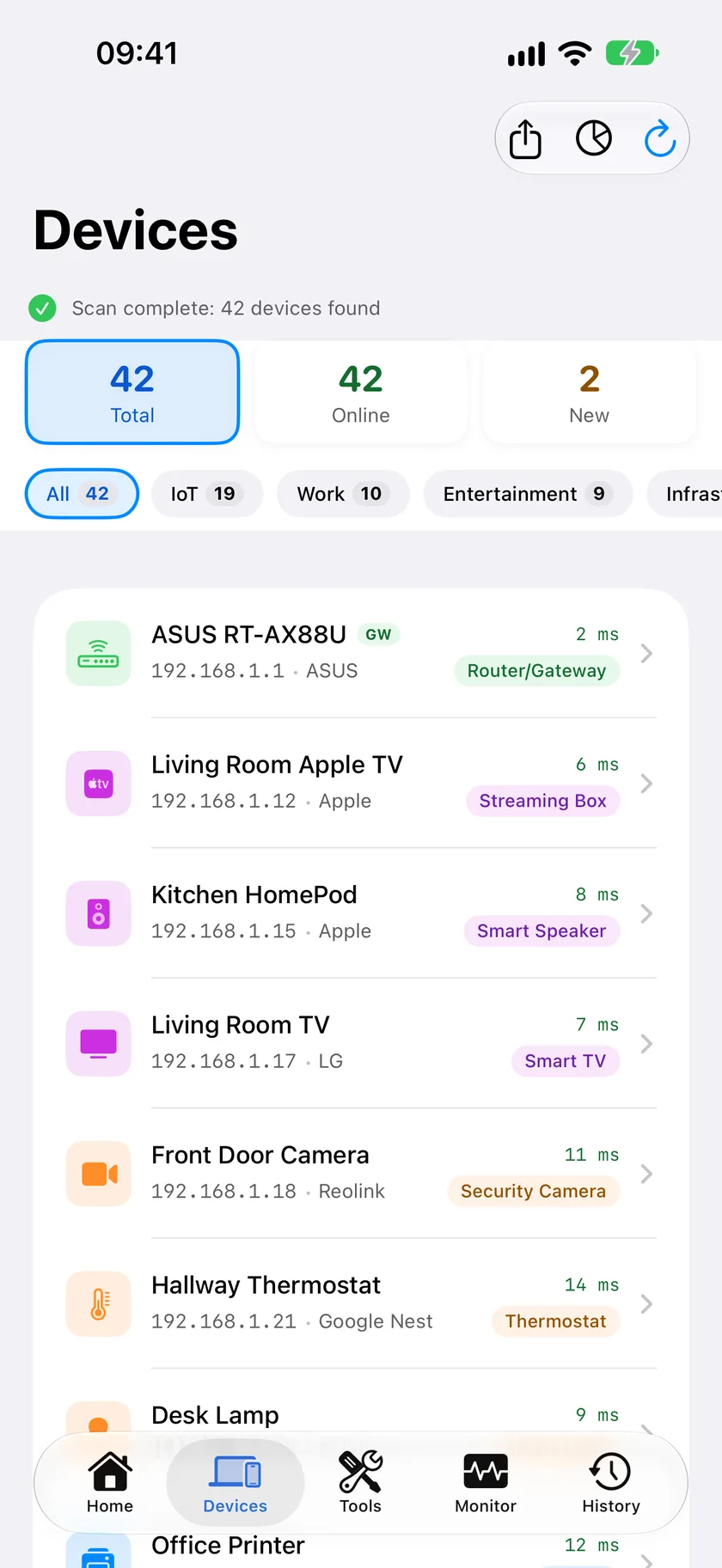
If a device shows up you don't recognize, LAN Scanner shows its vendor and open ports so you can judge whether it looks legitimate, and Security Scan separately audits your router and network configuration as a whole - both are more useful than guessing from a MAC address. For the deeper "is someone actually using my WiFi without permission" question, our guide on detecting unauthorized devices walks through it in full, and finding every device on your network and spotting unknown devices cover the same ground from different angles.
What PingKit doesn't do: It shows you what's connected and alerts you to new devices and security risks - it doesn't block devices, filter content, or monitor what's inside anyone's phone. If you're looking for content filtering or screen-time controls, that's a different category of app; PingKit is a visibility tool, not a parental-control suite.
Get Notified the Moment Something New Joins
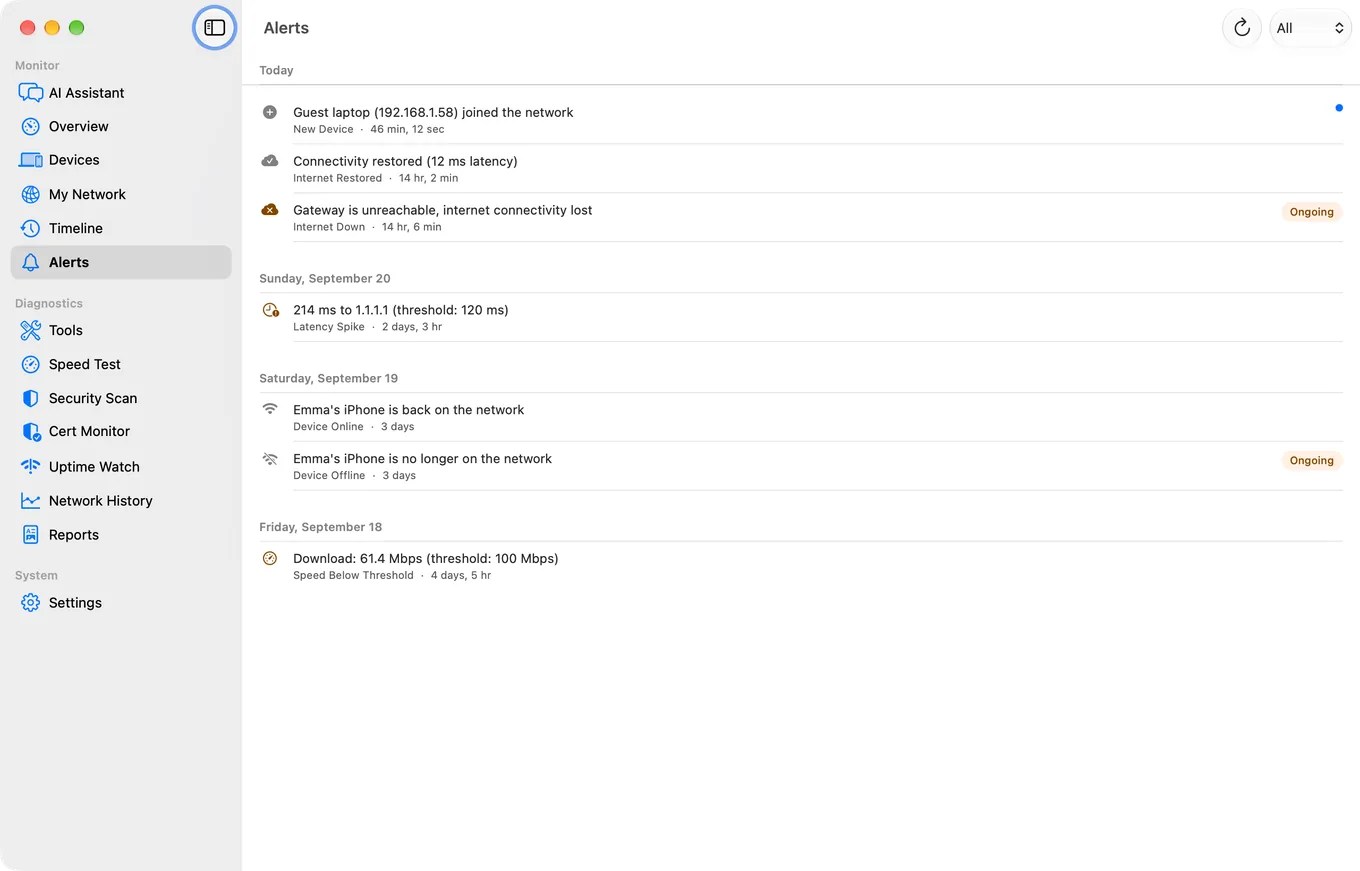
Checking manually works, but most people forget to. PingKit's free Mac Agent runs in the background on a Mac at home and watches continuously - it can notify you the moment an unfamiliar device joins the network, when a known device goes offline or comes back (an alert that is off by default and switched on in the Agent's Settings), and if it turns up a device with an elevated security risk. It requires a Mac left on, and awake, at home to do the watching; there's no equivalent always-on background mode on iPhone, since iOS doesn't allow apps to scan the network continuously in the background.
Frequently Asked Questions
Can PingKit tell me who's using my WiFi without permission?
It shows you every device connected to your network with a name and, where possible, a vendor. It can't tell you which family member owns which phone, but a device you genuinely don't recognize is a clear starting point - see our full guide on detecting unauthorized WiFi use.
Does PingKit block or filter devices?
No. PingKit shows you what's on your network and can alert you to new or risky devices, but it doesn't offer device blocking or content filtering.
Do I need to pay for this?
Seeing every device on your network right now, on demand, is free. Continuous background alerts (new device joined, device offline) are free too: they need the free Mac Agent on a Mac at home, not a subscription. Guardian ($2.99/mo) adds the Agent's dashboard to PingKit on your iPhone.
Related Use Cases
See What's on Your Network
Free device discovery and security scanning, no account required. Optional new-device alerts via Guardian.
Download PingKit Free