AI-powered 24/7 network monitoring. Ask your network anything, get AI security help, automatic device identification, and smart alerts on your iPhone — no extra hardware needed.
Requires macOS 14.0 or later. Works with PingKit for iOS.
Set it up once. It runs silently in your menu bar.
Install PingKit Agent from the Mac App Store. It lives in your menu bar — no dock icon, no windows to manage.
The agent continuously scans for new devices, pings your gateway and internet, and runs scheduled speed tests.
Everything syncs via iCloud. Get push notifications on your iPhone when something happens on your network.
Comprehensive monitoring that never sleeps.
Get an instant alert when an unknown device connects to your network. Name and categorize your devices to build a trusted whitelist.
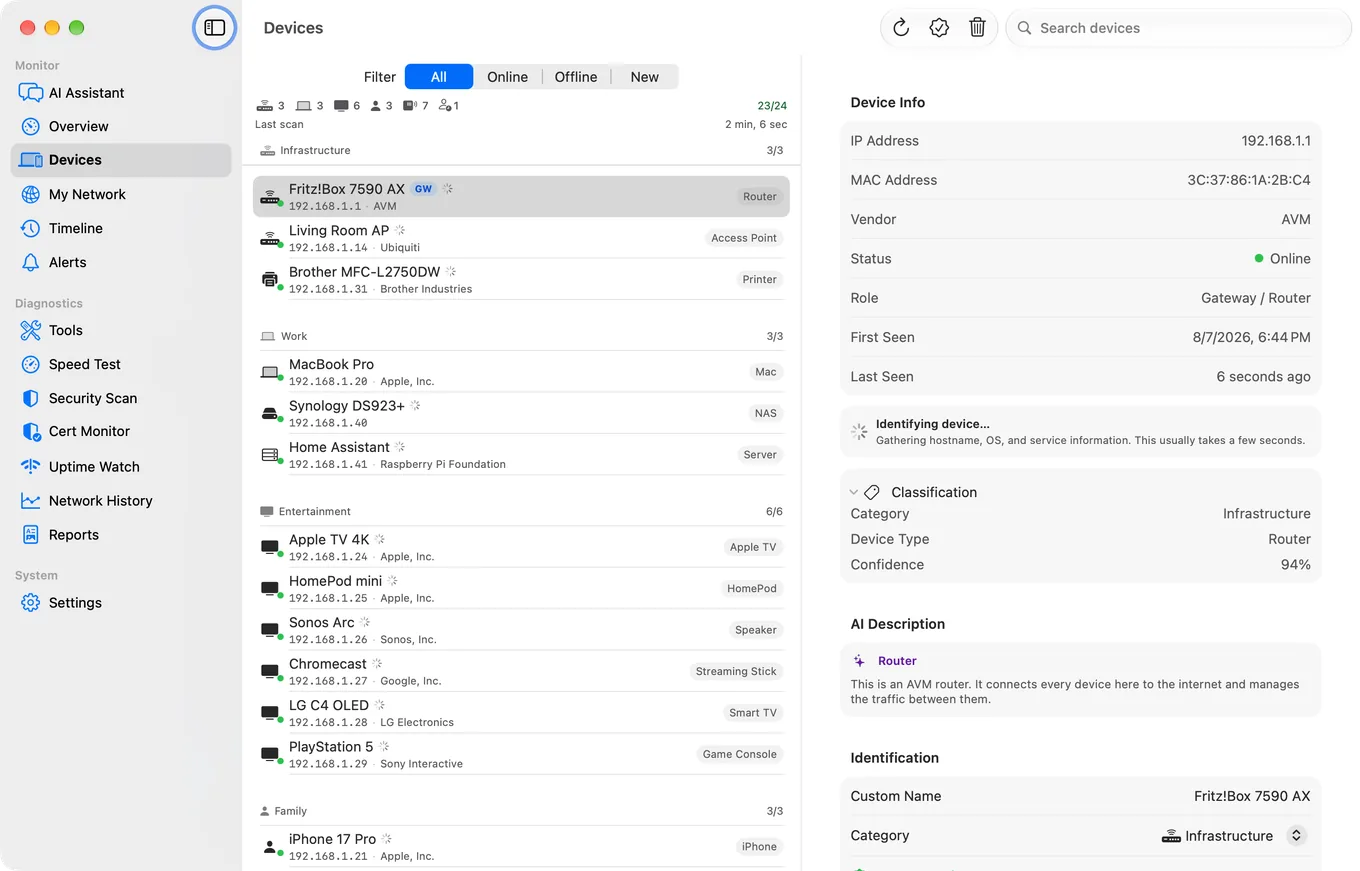
See every device on your network — online or offline. Track when devices come and go with full history.
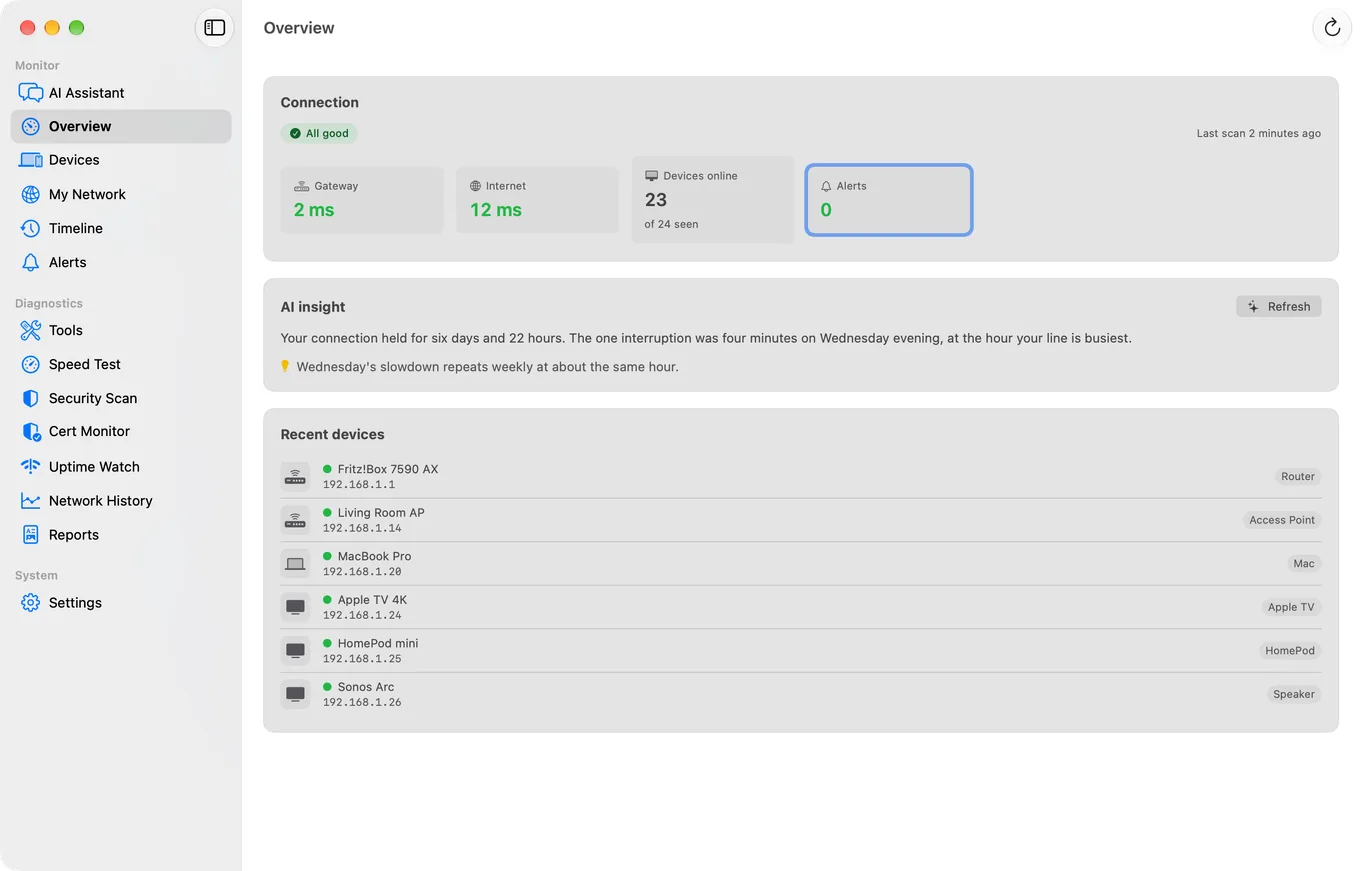
Continuous gateway and internet ping with latency timeline. Spot connection problems before they become outages.
Automatic speed tests on your schedule. Track your ISP's performance over time and hold them accountable.
Customizable notifications for new devices, internet outages, latency spikes, and speed drops. Set your own thresholds.
Everything syncs to your iPhone automatically via iCloud. No accounts, no servers, no cloud subscriptions. Apple handles it all.
A complete event feed of everything happening on your network. Devices joining, leaving, outages, latency spikes — all timestamped.
Set it and forget it. PingKit Agent starts automatically when your Mac boots and runs silently in the background.
Per-device security assessment with comprehensive detection rules. Identifies open ports, weak services, and misconfigured devices with remediation advice.
Multi-layer device identification via Bonjour, SSDP, WS-Discovery, CoAP, mDNS, and ML-powered classification. Know exactly what's on your network.
See how we compare to other network monitoring solutions.
| PingKit Agent | Other Apps | DIY (Pi/Docker) | |
|---|---|---|---|
| AI network assistant | ✓ | ✕ | ✕ |
| AI security explanations | ✓ | ✕ | ✕ |
| AI device classification | ✓ | ✕ | ✕ |
| Menu bar agent | ✓ | ✕ | ✕ |
| Launch at login | ✓ | ✕ | ✓ |
| Device detection | ✓ | ✓ | ✓ |
| Intruder alerts | ✓ | ✓ | ✕ |
| Speed test scheduling | ✓ | ✓ Paid tier | ✕ |
| iCloud sync to iPhone | ✓ | ✕ Third-party cloud | ✕ |
| 19+ diagnostic tools | ✓ | ✕ | ✕ |
| No account required | ✓ | ✕ | ✓ |
| Data stays in Apple ecosystem | ✓ | ✕ | ✓ |
| No extra hardware | ✓ | ✓ | ✕ ~$50–$108 |
| Security scoring | ✓ | ✕ | ✕ |
| Deep fingerprinting (6 protocols) | ✓ | ✕ | ✕ |
| Monthly cost | $2.99 | $4–$17+ | Free* |
* DIY solutions require technical setup, ongoing maintenance, and don't include a native iOS companion app.
One subscription. Everything included. iOS tools are free.
PingKit Guardian is the only subscription you need. 1-week free trial, cancel anytime. All iOS network tools — ping, speed test, traceroute, port scanner, and more — are 100% free, no subscription required.
PingKit 2.0 introduces Guardian Plus — a new premium tier that adds Cert Monitor for continuous TLS certificate tracking (25 domains), ISO 27001 PDF export, Network History AI summaries, an Apple Watch complication, and unlimited AI queries. Uptime Watch is now included in Guardian.
The Mac Agent performs cert checks and uptime probes even when your iPhone is asleep, making it the backbone of your monitoring setup.
Explore Guardian PlusPingKit Agent runs entirely on your Mac. Your network data syncs through your personal iCloud account — never through our servers.
No accounts. No analytics. No ads. AI features send anonymous network data to our secure servers for analysis — never personal information, browsing history, or account details.