PingKit vs LanScan
LanScan is a fast, lightweight Mac LAN scanner with IPv6 support and a free base tier. PingKit covers the same scanning on iPhone, iPad and Mac - with the Mac's results on your iPhone through iCloud (with Guardian), a full toolkit, and background monitoring from the Mac menu bar. Here's an honest head-to-head from the PingKit team.
LanScan (by Iwaxx) is a simple, focused macOS scanner that a lot of people keep around for a quick "who's on my network" check. We make PingKit, so we have a horse in this race, but the comparison below aims to be genuinely useful. App details change, so check the current LanScan listing before you decide.
Feature-by-Feature
| Capability | PingKit | LanScan |
|---|---|---|
| Runs on iPhone / iPad | Yes (+ Mac; with Guardian, Mac Agent to iPhone via iCloud) | No (macOS only) |
| LAN device discovery | Yes (signature-based naming) | Yes (IP, MAC, vendor) |
| IPv6 scanning | Yes | Yes (Pro) |
| Live / continuous scan | Via Mac Agent, while the Mac is awake | Live scan mode |
| Port scanner | Yes, free | Yes (v6+) |
| New-device alerts | Yes (free on Mac) | No |
| Security scan + score | Yes, free | No |
| Speed test / ping / traceroute | Yes, free | No |
| AI explanations of findings | Yes (free) | No |
| Price | Free + optional $2.99/mo | Free; Pro $5.99–$14.99 |
Where LanScan Wins
LanScan is fast, tiny and free to start. It auto-detects interfaces, supports IPv6 in the Pro tier, and its live-scan mode is handy for watching a network refresh while you work on the Mac. If you only need a no-frills Mac scanner and never touch a phone for this, it's a perfectly good pick.
Where PingKit Wins
Reach and depth. PingKit runs on the iPhone in your pocket as well as the Mac, and with Guardian the Mac Agent's device list syncs to your iPhone over iCloud, while the iPhone's own scans stay on the iPhone. Beyond scanning, you get a security scan with a score, speed test, ping, traceroute, port scanner and more - free, no ads, no account. And LanScan's "live scan" only runs while you watch it; PingKit's free Mac Agent monitors in the background whenever the Mac is awake and alerts you when a new device joins, even when you're away.
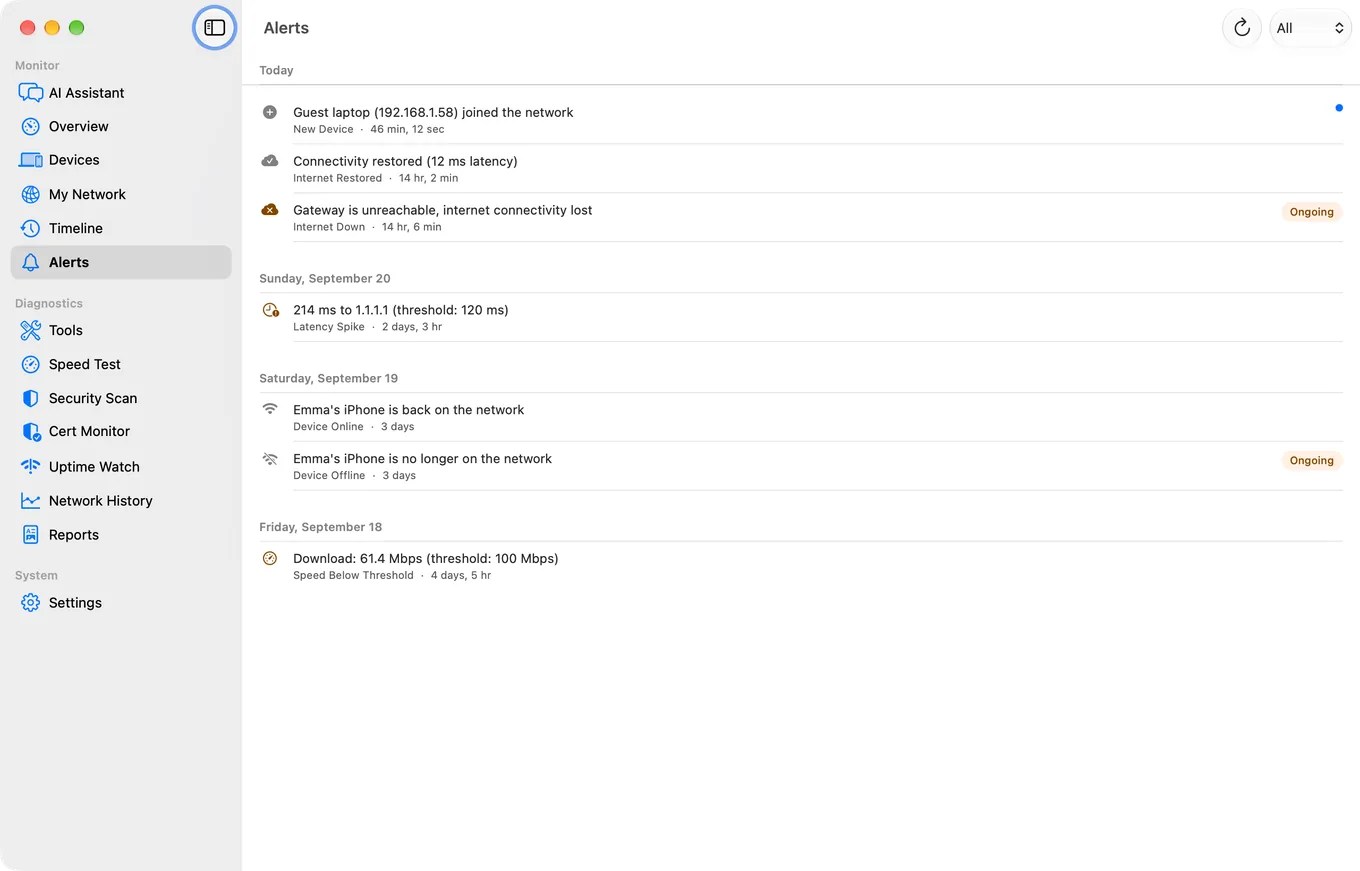
The monitoring angle: LanScan's live scan stops when you close the window. PingKit's Mac Agent keeps watching in the background and pushes an alert the moment something new appears - that's the difference between a scanner and a monitor.
Which Should You Choose?
- Want a free, minimal Mac-only scanner with IPv6: LanScan.
- Want scanning on iPhone + Mac with a full free toolkit: PingKit.
- Want background monitoring with alerts: PingKit's free Mac app.
Comparing more apps? See our best network tools for iPhone roundup.
More Comparisons
- PingKit vs Scany
- PingKit vs iNet
- PingKit vs Fing
- PingKit vs Nmap
- LanScan Alternatives for Mac (2026): Scanners and Monitors Compared
- Best Network & LAN Scanner Apps for iPhone (2026)
- Every PingKit comparison
Try PingKit Free
19 network tools on iPhone, iPad and Mac, background monitoring - no ads, no account.
Download PingKit Free